





We’re committed to helping you succeed with FormWise:
Yes, FormWise offers robust customization options:
FormWise allows unlimited tool creation. Use over 100+ templates to quickly create SmartForms, AI tools, and CoPilots. Additionally, organize your tools into toolsets—portfolio-like pages for seamless sharing and monetization.
Absolutely! FormWise integrates seamlessly with GHL to enhance your white-label offerings. Use our tools to:
Pro and Agency subscribers receive a free GoHighLevel sub-account that includes:
We prioritize your data security:
Yes, you can embed FormWise tools on:
Monetizing tools is easy with FormWise:
FormWise is versatile and supports businesses across industries like:
No! FormWise is a no-code platform. Whether you’re an AI novice or a pro, our intuitive interface makes it easy to build and customize tools without coding.
FormWise integrates with:
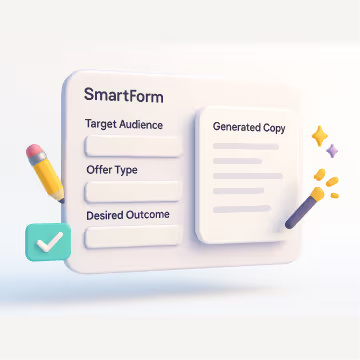
SmartForms are dynamic, AI-powered forms that collect user inputs and generate highly personalized outputs based on customizable prompt logic. They allow businesses to:
SmartForms use advanced prompt mapping, where each form field is linked to a specific placeholder (e.g., @q1_answer). When a user submits their responses, FormWise dynamically integrates them into a predefined prompt structure to generate meaningful, AI-driven results.
SmartForms can be used across various industries to streamline processes, enhance customer engagement, and create niche-specific AI tools. Common use cases include:
No, we provide templates, or you can use your own voice notes, SOPs, or PDFs.
Not at all. It feels like filling out a form or having a conversation.
Yes, you can edit, duplicate, or swap content anytime without starting from scratch.
Nope, you can start with a Google Doc, voice note, or worksheet. We help you turn it into a structured tool.
Only if you want them to. Most tools feel like structured apps or interactive forms.
Yes, add Stripe with Login Mode and sell access like a course or coaching product.
Absolutely — and most agencies do.
Use GHL products, workflows, offers, or memberships to sell AI access as an add-on to your CRM packages.
Example:
“+$97/mo AI Marketing Toolkit Upgrade”
FormWise handles:
If you want FormWise to handle the billing, you can set free/paid/usage-based plans inside Login Mode and FormWise will:
Yes.
Your FormWise toolsets can be installed into as many GHL subaccounts as you want (depending on your plan). This is exactly how agencies scale: build once → deploy to every niche client.
Common use cases:
Each subaccount gets its own isolated version of the tools, usage tracking, credits, and user profiles.
Yes, add Stripe with Login Mode and sell access like a course or coaching product.
When you install FormWise into a GHL subaccount, your end users (the subaccount owners) get access to the AI toolset you’ve created for their niche. They can use SmartForms, Agents, and any tools you’ve embedded directly inside their GHL dashboard, the same way they access funnels, conversations, or workflows.
You decide:
AI talk is cheap. Tools that sell aren’t.
The internet is full of vague “AI will change everything” content. Prompt to Product is different. It’s a show about:
Whether you’re building your first toolset or optimizing your tenth, you’ll get concrete examples you can copy, remix, and ship.
If this sounds like you, you’re in the right place.
You’ll get a ton of value from Prompt to Product if you’re:
If you’ve ever thought, “I know my stuff—how do I turn this into a tool people can actually use?” this podcast is for you.
What you’ll learn, episode after episode
Idea → tool → offer
How guests take a loose idea and turn it into a structured SmartForm or CoPilot that solves a real problem.
Pricing and packaging in the wild
How they decide what’s free, what’s a tripwire, and what lives behind a paid login or membership.
Funnel & traffic strategies
The exact ways they get people into their tools: GHL workflows, challenges, bundles, community perks, and more.
Delivery that feels like SaaS
How they embed tools in GHL, Circle, Kajabi, and other portals so users feel like they’re using a polished product.
Behind-the-scenes lessons
The experiments that flopped, the tweaks that turned things around, and the shortcuts they’d use if they started over.
Simple format. Maximum signal.
We keep things straightforward so you can follow along and take notes:
Real operator conversations
45–60 minute episodes featuring 1–3 guests who are actively building and selling AI tools.
Concrete examples, not theory
Expect screen-shared workflows, step-by-step breakdowns, and “here’s exactly how we set this up” moments.
Companion write-ups
Each episode gets a recap on the FormWise blog with key takeaways, timestamps, and links to any tools or resources mentioned.
What’s FormWise, and why does it keep coming up?
FormWise is the no-code builder behind many of the tools you’ll hear about on the show. Our users turn their expertise into:
You don’t need FormWise to get value from the podcast—this show is designed to be useful even if you’re just studying what’s working and borrowing the playbooks.
FormWise runs on the leading AI engines — OpenAI, Claude, Gemini, Grok, and Mistral. You don’t pick or manage models. FormWise handles the AI layer so you can focus on packaging your expertise, not configuring technology.

